The short answer
A simple spelling rotation has four stations: a device center where students open the class list from a posted QR code, partner flashcards, word building with letter tiles, and a quiet paper-and-pencil station. Early finishers go back to the games or the tiles with the same week's words.
Put the same week's list at every station and teach the routine once. Then a new list on Monday is the only thing that changes, and you spend center time with a small group instead of explaining directions again. The setup below has four stations and works with as few as two devices. It doubles as your early finisher plan, too.
The four stations
- Device center: spelling games from your class list link.
- Partner flashcards: one student reads, the other spells out loud.
- Word building: letter tiles or magnetic letters.
- Quiet writing: paper and pencil, no device.
With four groups and a 10 to 12 minute rotation, every student gets to each station in about 45 minutes. Or split it across two days, two stations a day.
Device center: the class link
Make the week's list once and the same link works at school and at home. Students open it in any web browser on a Chromebook, iPad or laptop. There's nothing to install and nothing for students to sign up for.
Setting up the station
- Print the flyer for the list. It has the words, a QR code and the link. Tape it to the table or post it at eye level.
- If a device can't scan, students type the link instead. A bookmark saved on each device is faster still.
- Put out headphones. Each word is read aloud, and four devices talking at once gets loud fast.
- If you added a 4-digit PIN to the list, write it next to the QR code.
Rotating the games
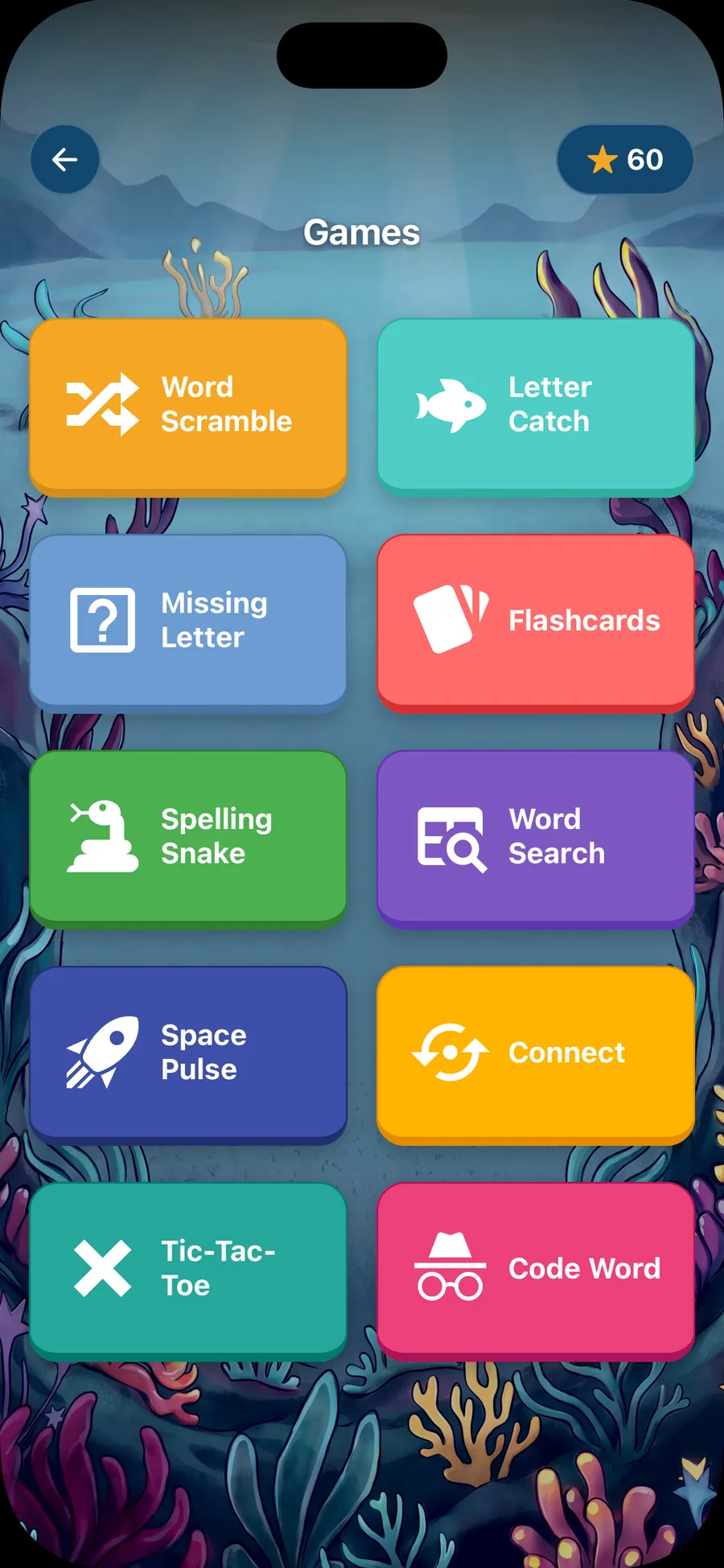
There are three games, and each one goes through every word on the list once, in a random order:
- Scramble: tap the letters into the right order.
- Missing letter: one letter is gone, and students pick it from four tiles.
- Flashcards: hear the word, spell it out loud, flip the card to check.
Assign one game per day, easiest first (Missing letter, then Scramble, then Flashcards), or let students pick. Because a round ends after the last word, students have a clear finish line. If time is left, they play the next game.
Different lists for different groups
If your spelling groups have different words, make one list per group. Each gets its own link and QR code, and you can keep up to 25 lists. Print each group's flyer on a different color of paper so students grab the right one. Words can be pasted in separated by spaces, commas or new lines, so copying a group's list from your planning doc takes a minute.
Partner flashcards
Each pair gets a stack of index cards with the week's words. Partner A reads a word without showing it. Partner B spells it out loud. Partner A flips the card around so both can check. Missed words go in a second pile and come back at the end. After the stack, they switch jobs.
Teach partners to say the word once, clearly, and wait. The speller doesn't get hints, though repeating the word is fine. A card with a small star in the corner can mark a word that's hard for the whole class, so pairs practice those twice.
Word building with letter tiles
Magnetic letters, letter tiles or squares cut from card stock all work. Students pick a word from the list, build it, check it against the list, then mix up the letters and build it again. It's the hands-on version of Scramble.
For pairs, one student builds a word and secretly takes out one letter. The partner figures out what's missing, which matches the Missing letter game. Store each set of tiles in a zip bag or a small tray so cleanup takes seconds.
A no-device station
One station should run on paper alone, both for noise and for the days the devices aren't charged. Rotate these through the year:
- Look, cover, write, check: look at a word, cover it, write it from memory, uncover and check.
- Pattern sort: sort the words into groups by spelling pattern, then add one new word to each group.
- Rainbow words: write each word once in pencil from memory and check it, then trace over it in three colors.
- Sentences: write a sentence using two words from the list.
- ABC order: put the whole list in alphabetical order.
Early finishers
Post a short list of choices where everyone can see it, and keep it the same all year. Students who finish early pick one without asking you:
When I finish early, I can:

1. Play a spelling game from our class link.
2. Build three spelling words with letter tiles.
3. Write my three trickiest words from memory and check them.
4. Quiz a friend who is also done with partner flashcards.
The class link is handy here because it needs no prep. Whatever list is current is the one students practice, and every game ends on its own after the last word.
Setting it up in the first week
Spend the first week teaching the stations, one a day, before anyone rotates.
- Day 1: model the device center on the board. Open the link, pick a game, play a few words, and show what the end of a round looks like.
- Day 2: model partner flashcards with a student volunteer, including how to read a word without showing the card.
- Day 3: letter tiles, including a timed cleanup, so putting the tiles away is part of the lesson.
- Day 4: the quiet writing station and the early finisher chart.
- Day 5: a short practice rotation, two stations, with a signal for switching.
Have a backup for each station. If a device won't load, that student moves to the tiles. If a partner is absent, the student does the writing station. Post the backups, so students know what to do without asking.
Keeping the noise down
- Headphones at the device center, every time.
- Whisper voices at partner flashcards. Practice what a whisper sounds like before the first rotation.
- A felt mat or a towel under the letter tiles cuts the clatter.
- Seat the two talking stations (partner flashcards and word building with a partner) apart from each other, with the quiet writing station between them.
- Use a visual timer so nobody has to ask how long is left.
Making the list
Sign in with Google or an email and password, paste the words (up to 40 per list), and play each word to check how it sounds. Then print the flyer for the center, post the link in Google Classroom with the share button, or both. The same link goes home on the printed flyer, so the center games become the homework too. How it works shows each step, and spelling homework ideas covers the home side. Make your first list when you're ready.
Questions
How many spelling centers do I need?
Three or four. Fewer stations means less to teach in the first week and shorter lines at each one. Keep the same stations all year and change only the words.
Do students need to log in at the device center?
No. Students scan the QR code or open the class link in any web browser and pick a game. There are no student accounts or passwords. If the list has a 4-digit PIN, post it next to the QR code.
What if I only have a few devices?
Run the device center with whatever you have, even two or three devices, and send everyone else to the stations that need no device. Partners can also share one device and take turns word by word.
Can different spelling groups practice different lists?
Yes. Make a separate list for each group. Every list gets its own link and QR code, and you can keep up to 25 lists. Label each QR code at the center with the group's name or color.
How do I keep the device center from getting loud?
Use headphones. Each word is read aloud, so headphones keep the voice at one seat. Place the device center away from the partner station, where students are spelling out loud.