The short answer
Make a class list for each spelling group, up to 25 lists, and give each group its own link or QR code. Name the groups after colours or animals, because children see the list’s title when they open it. When a child moves group, give them the other group’s link.
When a class works in spelling groups, each group needs its own words, and each child needs to find the right ones. In Spelling Stream for Teachers, every group gets a class list of its own, and every list has its own link and QR code. Children open their group’s link in any browser and practise the words in games, with each word read aloud. There are no logins or class codes.
One list for each group
You can keep up to 25 lists, and each one holds up to 40 words. Make one list per group and edit it each week. The link stays the same when the words change, so a group’s link and QR code work all term.
To keep last week’s words, open the list and choose Make a copy. The copy keeps the words, the voice and the game settings, so you only change what’s new. Delete old lists from your dashboard when you’re done with them; a deleted list’s link stops working straight away.
Name groups by colour or animal
The list’s title appears at the top of the screen when a child opens the link. Everyone in the group sees it, and so does anyone looking over their shoulder. Use a colour or an animal: Green group, Kiwi group, Gecko group. Keep levels and ability words out of the title.
A title can be up to 60 characters, so there is room for the week too: “Gecko group, week 3”. Keep children’s names out of titles and word lists. A list can be opened by anyone with its link.
Example lists for three groups
These example lists are for three groups at different points in a spelling programme. Each is built on a pattern from a different year level. Play any list, or make it a class list and change the words.
Penguin group: two consonants together
Short vowel words with a blend at the start, the end or both. Say each sound before writing it: s-t-a-m-p.
- snap
- flip
- skip
- bend
- stamp
- crisp
- trunk
- drift
More words for this group are on the Year 1 and Year 2 pages, which cover two and three consonants together.
Gecko group: vowel teams
Two letters, one vowel sound: ee and ea, oa, ow as in frown, and oi and oy.
- seed
- beak
- feast
- toad
- roam
- cloak
- frown
- crowd
- spoil
- royal
The Year 3 spelling list page has more vowel teams, along with ar, or and ur.
Dolphin group: -ful, -less, -ness and -ment
The base word keeps its spelling when these suffixes go on: hope, hopeful; bright, brightness.
- hopeful
- thoughtful
- wonderful
- careless
- harmless
- endless
- brightness
- darkness
- pavement
- statement
For this group, the Year 4 spelling list page adds un- and dis-, and the Year 5 and Year 6 pages go on to -tion, -sion and -ment.
Getting each group to its words
- A QR code on each table. Every list has a QR code you can download. Print it and put it where the group works, and children scan it with a tablet camera.
- Google Classroom. The Share to Google Classroom button opens Classroom with the link ready to post, so each group can have its own post.
- A flyer for home. Print flyer makes one page with the group’s words, its QR code and its link, to send home with the children in that group.
- An optional PIN. Add a 4-digit PIN to a list and children type it once to open it. It keeps casual visitors out, though it isn’t strong security.
Different game settings for different groups
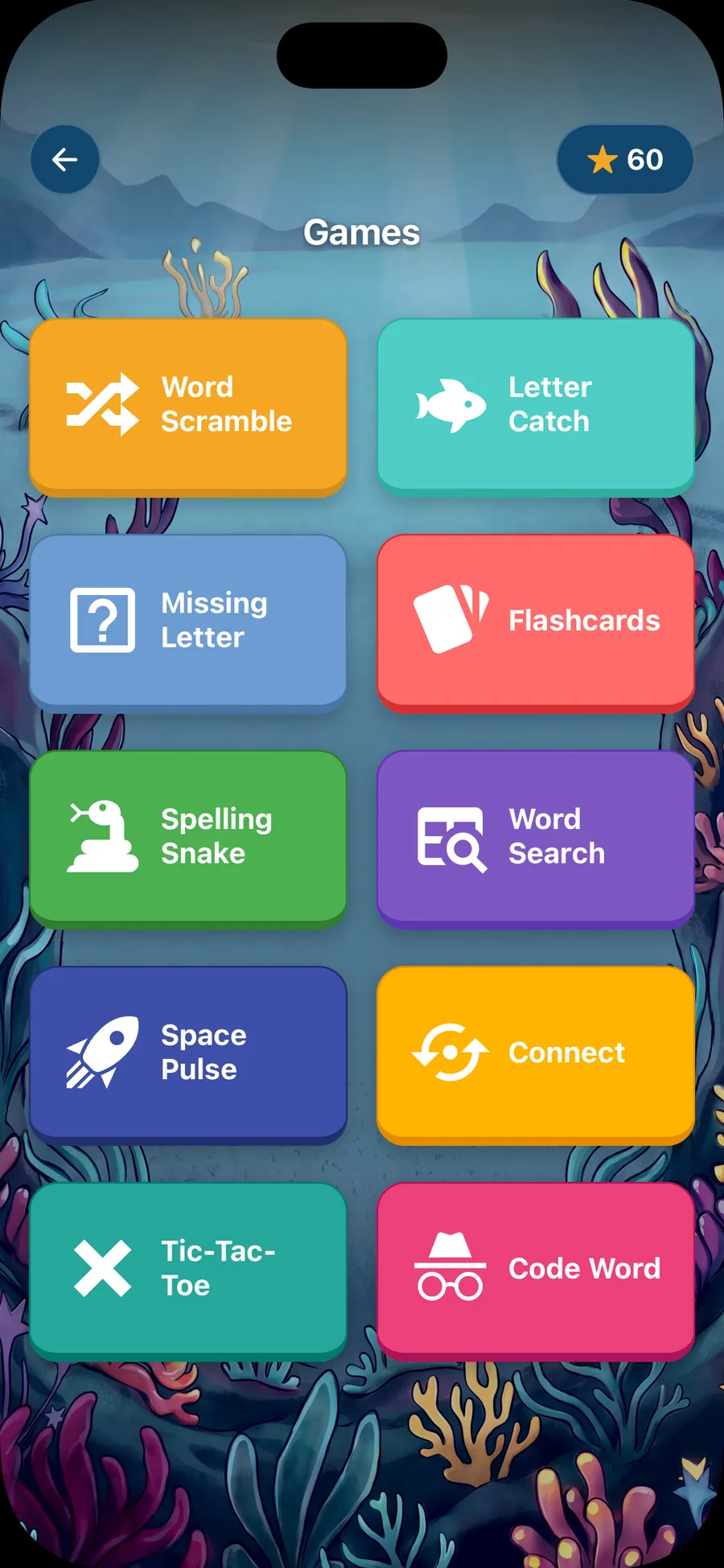
Each list has its own game settings, so each group can play at its own level. In the list editor, open the game settings (the button is labelled Customize games) to:
- turn any game off
- choose how many letters go missing in Missing letter: 1, up to 2 or up to 3
- let children type the missing letter on the keyboard instead of tapping one of four tiles
- add extra letters to Scramble
A younger group might keep one missing letter and the tiles. An older group might have up to three missing letters, typed, with extra letters in Scramble. The editor shows what children will see. How Missing letter works
When a child moves group
Give them the other group’s link, or send them to the other table’s QR code. Nothing in the tool is tied to the child, so there is nothing else to change.
The flip side is that nothing comes back to you either. The games keep no scores, so keep your own record of who is in which group, and use your weekly test to decide when a child is ready to move.
Words from children’s own writing
Words a group keeps getting wrong in its writing make a good short list. Collect them during the week and add a few to the group’s list, or make a second list such as “Gecko group: writing words”. A list holds up to 40 words, so the pattern words and the writing words can share one link.
Choose words the whole group uses. A list for one child would need a title that doesn’t name them, and group lists leave more room under the 25-list limit.
How the words are read aloud
There is no New Zealand English voice. Lists made by teachers in New Zealand start in Australian English, and you can switch any list to US English in the editor. A few words, such as names, use the device’s own voice. Play each word before you share a group’s list, so you know how it will sound. Children can press Hear it to play a word again as often as they need, which suits a group working at a table on its own.
Spelling Stream for Teachers in New Zealand has the year-level lists from Year 1 to Year 6, and How it works walks through making and sharing a list. Flashcards suits a group practising on its own: children hear the word, spell it out loud, then flip the card to check.
Questions
How many spelling groups can I set up?
As many as you have lists. Each teacher can keep up to 25 lists of up to 40 words, and every list has its own link and QR code.
What should I call my spelling groups?
A colour or an animal: Green group, Gecko group. Avoid levels and anything that ranks the groups, because every child in the group sees the title at the top of the screen when they open the link.
Is there a New Zealand English voice?
No. Lists made by teachers in New Zealand are read in Australian English, and you can switch any list to US English. Play each word in the editor before you share the list.
Can I see which children practised?
No. The games keep no scores and send nothing back to the teacher, which is part of why children need no logins. Check progress in your usual weekly test.
Do children need a login or a class code?
No. They open their group’s link or scan its QR code, and play. If you add a 4-digit PIN to a list, they type it once first.